Reports Module
The Reports module provides complete operational and financial visibility for your fuel station. All reports are generated in real time from posted transactions.
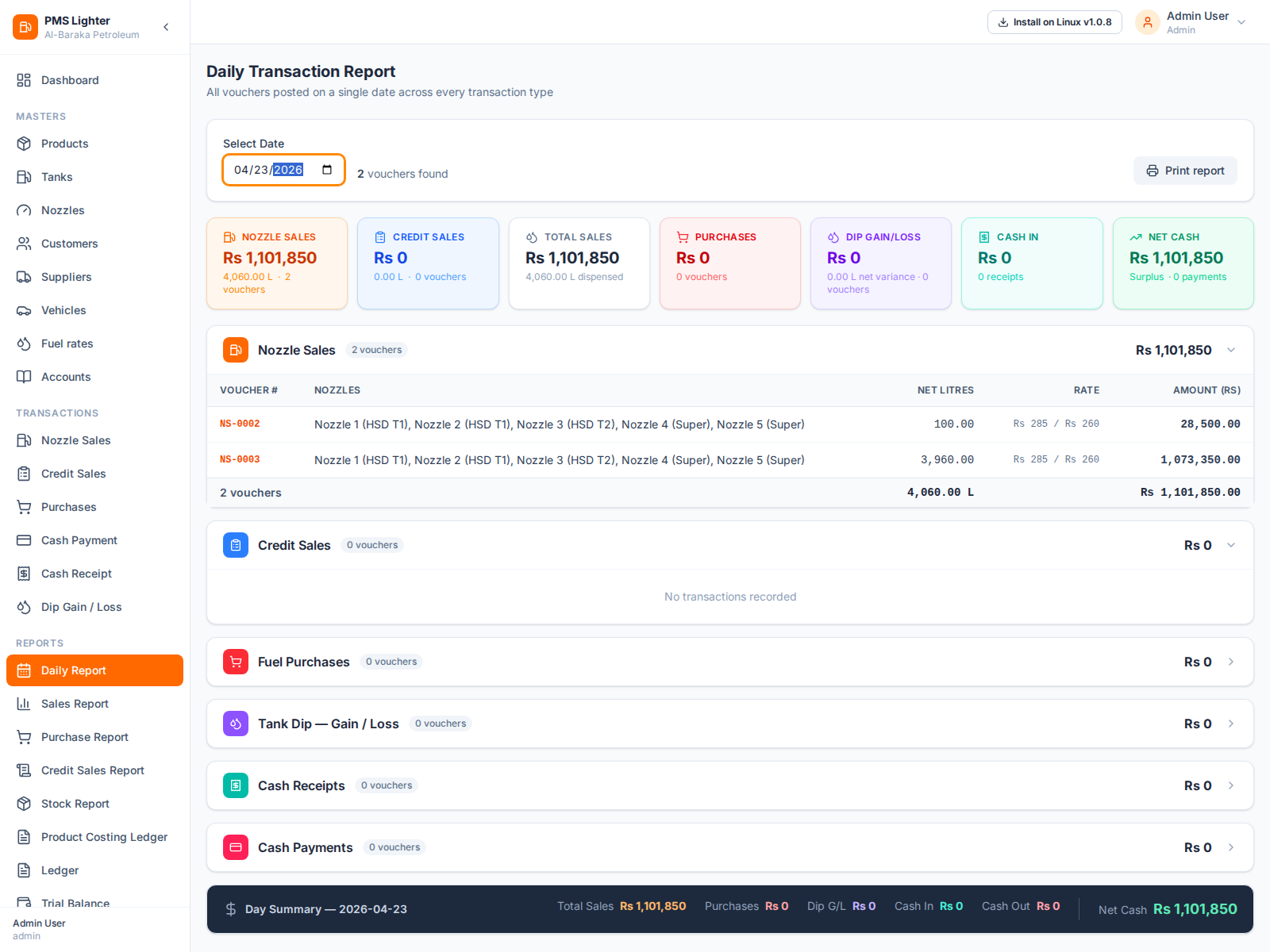
Daily Report
The Daily Report consolidates all transactions posted on a single selected date:
- Nozzle sales summary (liters + amount)
- Credit sales summary
- Fuel purchases
- Tank dip gain/loss
- Cash receipts and payments
- Net cash position for the day
Ideal for end-of-day closing by station managers.
Sales Report
Shows nozzle and credit sales for a selected date range with breakdowns:
- By Voucher — individual voucher listing
- By Product — total liters and revenue per fuel type
- By Customer — credit sales grouped by customer
Purchase Report
Shows fuel deliveries received in the selected period:
- By Voucher — GD-wise delivery listing
- By Product — total liters purchased per product
- By Supplier — payable amounts per supplier
Credit Sales Report
Detailed view of all credit transactions with powerful filtering:
- Filter by customer, vehicle, product, or voucher number
- Shows unit rate, quantity, and amount per line
Stock Report
The Stock Report shows fuel inventory movement for a selected period per product:
- Opening stock
- Purchased (IN)
- Sold (OUT)
- Gain / Loss (dip variance)
- Closing stock (quantity + value)
Account Ledger
Shows all debit and credit entries for any account over a period:
- Select account (customer, supplier, cash, etc.)
- Running balance shown per entry
- Voucher number links back to source transaction
Trial Balance
Lists all account balances as of a selected date, grouped by account type:
- Expandable hierarchy (1st, 2nd, 3rd level)
- Debit and credit totals per group
- Printable format available
Financial Statements
Three-tab financial reporting with prior-period comparison:
- Profit & Loss — revenue, COGS, gross profit, net profit
- Balance Sheet — assets, liabilities, and equity
- Cash Flow — inflows, outflows, and net cash movement
All reports support print output for station records.
For screen-level operating procedures, visit the Screen Guides.